
Markdown Text-Editor plugin for Eclipse
Markdown Editor plugin for Eclipse
Drag and drop this button into a running Eclipse Indigo workspace to install Markdown Text Editor via the Eclipse Marketplace:

To install, use Eclipse's Software Updates mechanism (Help > Install New Software) with the URL: http://winterwell.com/software/updatesite/
You may wish to check the Eclipse Marketplace entry for latest version information.
Alternatively, you can download the required files - which are just plugins/winterwell.markdown_0.2.3.jar and features/markdown.editor.feature_0.2.3.jar - and copy them into the plugins and features directories in your Eclipse installation.
Setup
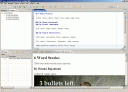
Once installed, the plugin provides you with a new editor for .md files. You will probably also want to set it as the editor for .txt files. To do this, go to Preferences->Editor->File Associations. Select the file type "*.txt" and add the Markdown Editor as the default editor. You can also use it for other files by right-clicking on the file and going through the "open with" sub menu.Features
- Document outline. A fantastic feature that lets you see, navigate and edit the structure of text documents.
- Markdown syntax highlighting
- Export to html. This is accessed via the File menu.
- Preview window. Accessed via Window->Show view->other->Markdown
Source Code
The source code is hosted on github: Eclipse-Markdown-Editor-Plugin. You can fork it (and please do send enhancements back).
The Java source code is also included in the download.
Feedback
This is a personal project. Please report any bugs to .
Copyright and License
This is released as open-source under the Eclipse Public License. Developed by Daniel Winterstein and maintained with help from Paul Verest and with contributions from various people (thank you). This code is copyright (c) Winterwell Associates Ltd, 2008-2013 and ThinkTank Mathematics Ltd, 2007 except where otherwise stated.This code comes with no warranty or support.